Android TV
Google TV, Nvidia Shield, Amazon Fire TV
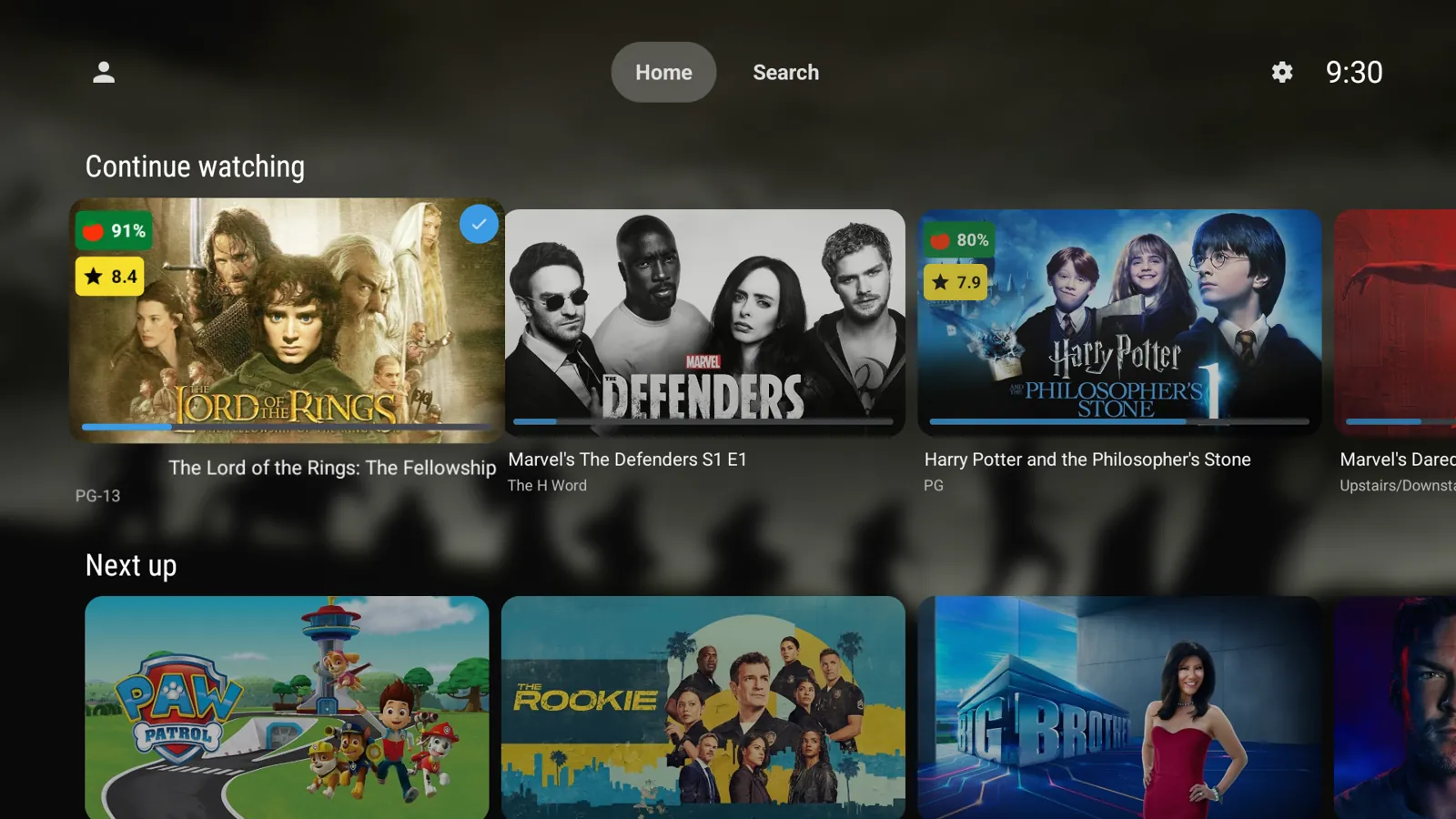
Landscape artwork, rating badges and a home screen you can arrange exactly how you like. Free and open source, for Android TV, Fire TV, Nvidia Shield and Samsung Tizen TVs.
Pick your TV. Both apps install alongside the official Jellyfin app and work with any Jellyfin server.
Google TV, Nvidia Shield, Amazon Fire TV
Samsung Smart TVs (Tizen OS)
LumaFin follows the official Jellyfin clients for fixes and new features, and adds a look inspired by popular Jellyfin web themes.
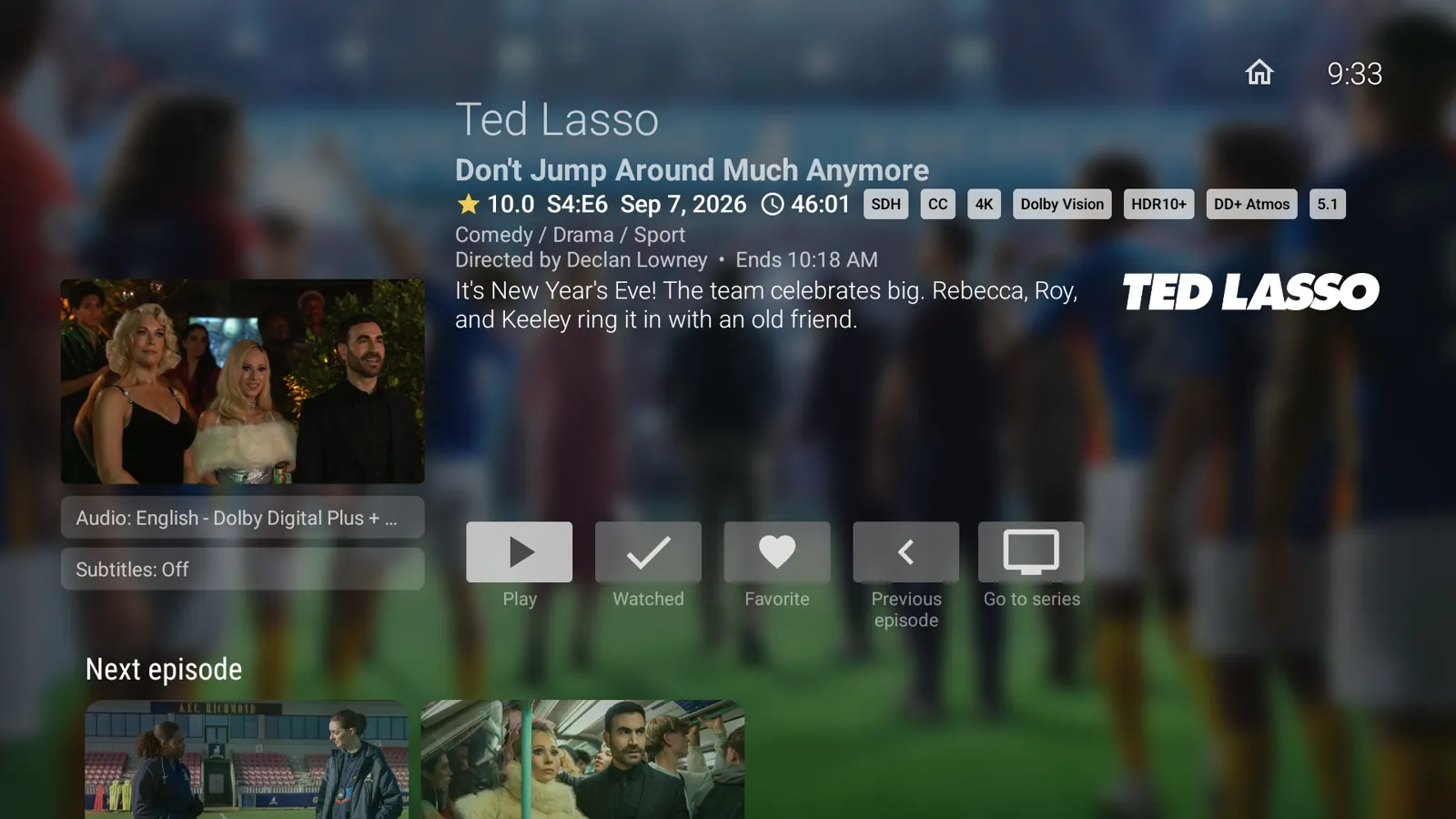
Every card is a uniform 16:9 tile that prefers Thumb, then Backdrop, then Primary artwork. Continue Watching shows proper series art for episodes.
Critic and community ratings appear right on movie and series cards, so you can pick something to watch at a glance.
Add Latest Movies and Shows, Because You Watched, Collections, Watch Again, Genres, Favorites, a combined Continue Watching / Next Up row and more.
Reorder and hide sections with the remote. The layout is saved on the TV, so a session refresh or another Jellyfin client can't undo it.
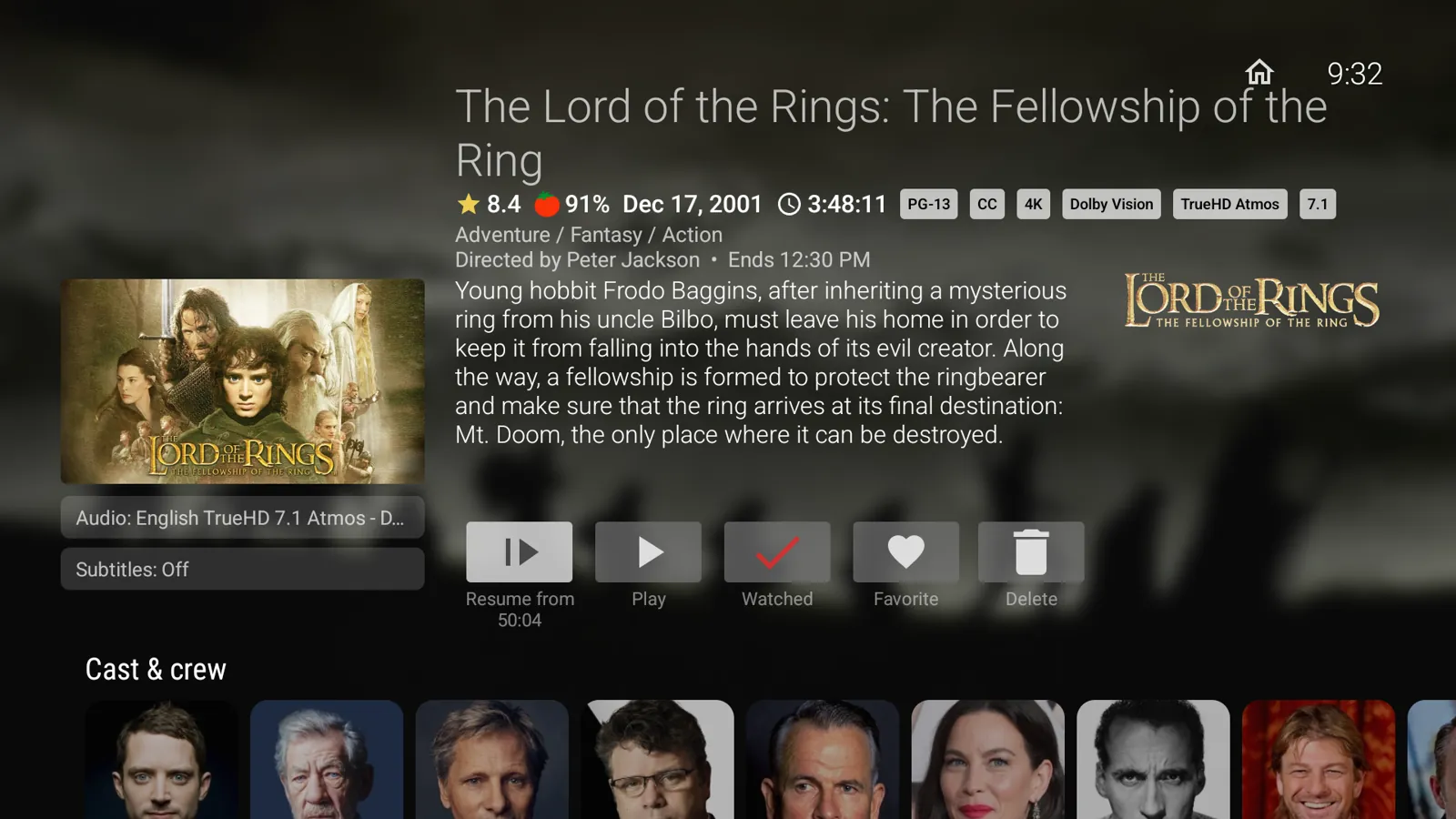
Android TV gets a seek bar with elapsed and remaining time, chapter marks, and subtitles, audio, speed and quality one press away.
LumaFin has its own app ID, so you can keep the official Jellyfin app installed and switch between them any time.
LumaFin isn't in the Google Play or Samsung app stores yet, so it's installed by sideloading.
Easiest: the free Downloader app, no computer needed
getlumafin.com/android. It downloads the latest APK.adb connect <TV_IP>
adb install -r LumaFin.apkTo update, install the new version over the old one. Your sign-in and settings are kept.
Needs a computer with Tizen Studio (free from Samsung)
sdb connect <TV_IP>
tizen install -n LumaFin.wgt -t <TV_NAME>
Reinstalling over an existing copy keeps your sign-in. Uninstalling first clears it.
No. LumaFin is an independent, community fork of the official Jellyfin TV clients. It isn't affiliated with or endorsed by the Jellyfin project. For the official apps, visit jellyfin.org.
Yes. LumaFin is a client: it plays media from a Jellyfin server you run or have access to. It works with any Jellyfin server.
Yes. LumaFin uses its own app ID, so both apps install side by side.
Yes, and it always will be. LumaFin is open source, and the code for both apps is on GitHub. If you'd like to support development, you can sponsor it on GitHub.
Download the latest release and install it over your current version. On Android TV, entering getlumafin.com/android in Downloader always fetches the newest APK.
Open an issue on GitHub for Android TV or Tizen, or email [email protected].
LumaFin is built in spare time. Sponsorship is entirely optional, and LumaFin will stay free and open source.